

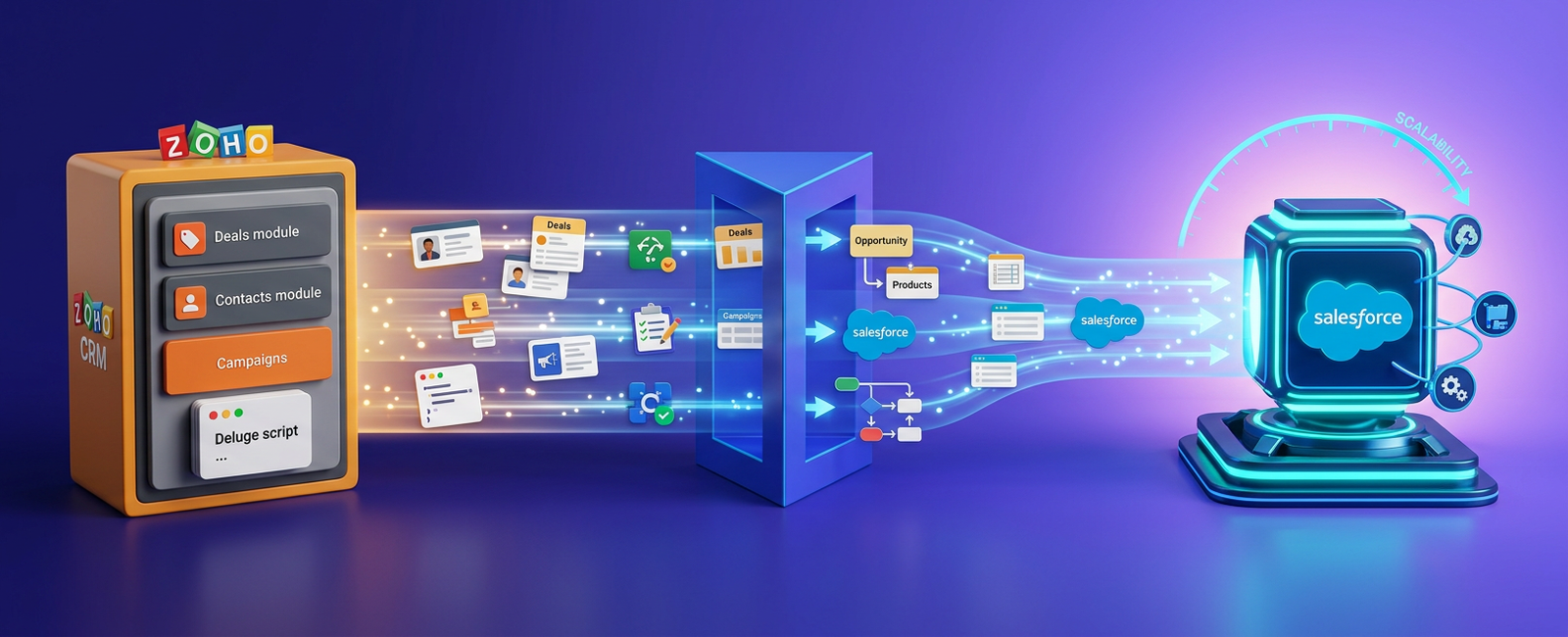
If you’re reading this, you might be in one of the following situations:
- Your business has outgrown Zoho CRM, and now, you want to migrate your org to an enterprise-friendly, scalable platform, i.e., Salesforce
- You don’t know how to migrate from Zoho to Salesforce without disrupting workflows, losing critical data, or causing unnecessary downtime.
- You’re struggling to decide which CRM platform is right for your business: Zoho CRM or Salesforce
If any of this sounds familiar, you’re in the right place.
This guide walks you through what actually matters in a Zoho CRM to Salesforce migration. You will see how the two platforms differ in ways that affect your data, your workflows, and your daily operations. You will see the industry-specific issues that catch teams off guard. You will also see how our Salesforce Migration Services help organizations move their data, workflows, integrations, and business processes to Salesforce securely and efficiently.
Differences Between Zoho CRM and Salesforce
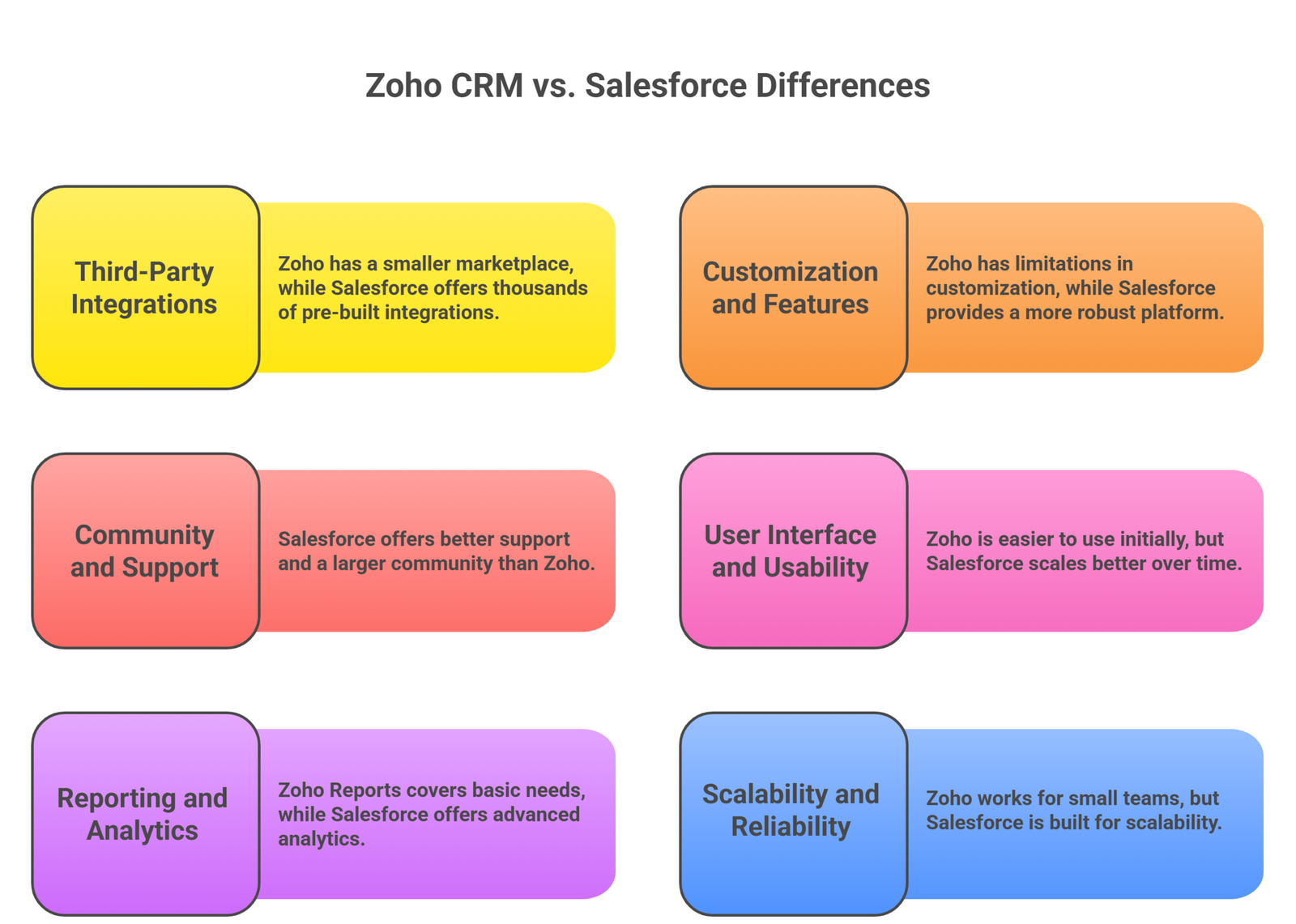
Before choosing to switch your CRM platform and moving your data and workflows to Salesforce, it’s important to understand the key differences between Salesforce and Zoho CRM.
-
Third-Party Integrations
Zoho has a really strong ecosystem Zoho One bundles tools like Books, Desk, Campaigns, and Inventory under one roof. As long as you stay inside that bundle, things connect cleanly through Zoho Flow. But, connecting with any tool or platform outside its ecosystem is a challenge. Zoho’s marketplace is smaller, and many enterprise tools either skip it or offer miniscule integrations.
On the other hand, Salesforce’s AppExchange offers so much more. It has thousands of pre-built integrations for marketing platforms, finance systems, support tools, and most major SaaS products. You also get a full REST and SOAP API, Platform Events, and named credentials to handle authentication without storing secrets in code.
-
Customization and Features
With Zoho, you can add custom fields, build custom modules, and write Deluge scripts for logic. It’s flexible enough for most small teams. However, there are serious limitations. Custom modules are siloed. Deluge runs in a sandboxed scripting layer with no real version control or test framework.
Salesforce does this better. Everything sits on the same metadata model, so custom objects, fields, and relationships behave like standard ones. Logic can run through clicks-based tools like Flow, or through Apex code when you need it, and Apex has a proper test framework along with full version control.
-
Community and Support
Support is probably the most influential factor behind choosing a CRM platform. Zoho’s documentation covers the basics and its community forums are active but smaller, so finding someone who has solved your exact problem can take time.
Salesforce offers much better support and its community is absolutely massive. Trailhead offers thousands of free learning modules, the Trailblazer Community has millions of members answering questions every day, and Salesforce Stack Exchange holds detailed technical threads on almost every edge case. Salesforce also runs Premier Support and Signature Support tiers for production-critical issues.
-
User Interface and Usability
While Zoho is easier to use for most teams, that simplicity is also its ceiling. Once you add modules, rules, and layouts, your screen gets crowded.
Salesforce Lightning Experience takes a better, scalable approach. While the user experience looks denser at first, but it scales far better over time. Page layouts and Dynamic Forms let you show different fields to different roles on the same record, Lightning App Builder lets admins reshape pages without code, and the Salesforce mobile app gives field users the same data on the go.
-
Reporting and Analytics
Zoho Reports covers standard needs like basic charts, simple dashboards, and scheduled exports, while deeper analysis usually requires Zoho Analytics as a separate product with its own data model.
Salesforce reporting is built into the core platform, so reports run directly on live CRM data with no synchronization needed, dashboards refresh in real time, and joined reports let you combine multiple object types in a single view. For more complex analytics, CRM Analytics gives you full lenses, dashboards, and predictive models, while Einstein layers AI-driven insights on top such as lead scoring and opportunity scoring based on your own historical data.
-
Scalability and Reliability
Zoho works well for small teams, but as record volumes grow into the millions, things start to slow down, list views take longer to load, reports time out, and custom Deluge logic begins to hit execution limits.
Salesforce was built for scalability. Its multi-tenant architecture is the reason it can serve a 20-user startup and a 200,000-user enterprise on the same platform, with governor limits keeping any single tenant from affecting others. You also get sandbox environments out of the box. For any team planning growth across regions, more users, or more data, a Zoho to Salesforce migration is often less about features and more about the ceiling.
Zoho to Salesforce CRM Migration Challenges Every Industry Faces
When migrating data or workflows to a new CRM platform, data has to move cleanly, workflows have to translate, and integrations have to be rebuilt. Here are certain risks and challenges for different industries that need to be considered:
-
Healthcare
Healthcare teams running Zoho usually store patient or member data in custom modules. The first issue in a Zoho CRM to Salesforce migration is compliance, since Salesforce Health Cloud is HIPAA-compliant only when you configure Shield Platform Encryption, Event Monitoring, and Field Audit Trail correctly.
Data classification is the next problem, since Protected Health Information must be flagged at the field level so it can be masked in reports and restricted from external integrations.
Patient identifiers, consent records, and referral history also need clear ownership, so our consultants map every Zoho field to a Salesforce equivalent and tag PHI fields before any data moves.
We also rebuild care plans and patient timelines using Health Cloud’s clinical data model rather than copying flat Zoho modules into custom objects, which is the most common reason healthcare migrations fail audit reviews later.
-
Education
Education teams use Zoho to track student inquiries, applications, and donor records, and the challenge in a Zoho CRM migration is moving from a sales-shaped data model to one that fits the student lifecycle.
Salesforce Education Cloud uses a different object model where students are Contacts, and programs, courses, and applications sit on dedicated objects with built-in relationships. Trying to copy Zoho modules one-to-one creates duplication and breaks reporting later.
Our consultants redesign the data model around the Education Cloud schema first, then map historical Zoho data into it.
FERPA compliance also matters here, since student records need clear role-based access where a faculty advisor sees academic data while a finance officer sees payment data, all managed through profiles, permission sets, and sharing rules on the same record.
-
Nonprofit
Nonprofits that’ve opted for Zoho as their primary CRM platform use it to track donors, donations, campaigns, and program data. However, as mentioned in our blog, where we discussed the benefits of Salesforce Nonprofit Cloud (NPC), Salesforce NPC is not just replacing the end-of-innovation platform, NPSP, but other CRMs as well, including Zoho.
The first issue nonprofits face is donor history, since recurring gifts, soft credits, and pledge schedules usually sit in flat fields in Zoho. Nonprofit Cloud handles these through proper objects with their own relationships, and migrating without redesigning loses the very structure that makes NPC useful.
Grant management is the next gap, since Zoho has no real grant lifecycle, while Nonprofit Cloud tracks grants from prospect to award to reporting. Volunteer management, program outcomes, and impact measurement also need fresh thinking during the migration, so our consultants typically rebuild segmentation logic during this phase to set the foundation for fundraising automation post go-live.
-
Financial Services
Financial services teams in Zoho usually manage clients, accounts, and product holdings across spread-out modules, and the Zoho CRM to Salesforce migration target is Financial Services Cloud, which has a purpose-built data model for households, financial accounts, and relationship groups.
Compliance is the first issue, since KYC, AML, and audit trail requirements mean every change to a client record has to be traceable, and Field Audit Trail, along with Salesforce Shield, handles this when configured during the migration rather than after.
The household model is the second issue, since Zoho has no real concept of grouping clients into a household with shared finances, while Financial Services Cloud treats this as a first-class object, and mapping Zoho contacts into household structures takes careful planning. Our consultants also check data residency rules early, since some regulators require client data to stay in a specific region, and Salesforce Hyperforce lets you pick that location before any data moves.
-
Commerce
E-commerce teams running Zoho usually connect Zoho CRM with Zoho Commerce, Shopify, or a custom storefront, and the Zoho CRM to Salesforce migration target is typically Sales Cloud paired with Commerce Cloud or Salesforce Order Management.
The first challenge is order data, since Zoho stores orders inside a Deals module or a custom module, while Salesforce treats orders as their own object with line items, price books, and product relationships, and moving the data without modeling the order properly breaks every downstream report.
Storefront integrations are the second issue, since Shopify, Magento, or WooCommerce connections in Zoho usually run through Zoho Flow or third-party plug-ins.
Our consultants rebuild these on the Salesforce side using either MuleSoft, native AppExchange connectors, or direct REST integrations, depending on volume and complexity. Returns, refunds, loyalty points, and customer service history all need to carry over without losing the connection to the original order.
-
Manufacturing
Manufacturing teams in Zoho usually track dealers, distributors, channel partners, quotes, and long sales cycles, and the Zoho CRM to Salesforce migration target is typically Sales Cloud paired with Salesforce CPQ and Manufacturing Cloud or Experience Cloud.
The first issue is the dealer and distributor model, since Zoho usually handles partners through flat account records, while Salesforce supports proper partner hierarchies, channel sales agreements, and revenue attribution through the Partner Sales Cloud features.
Quotes and pricing are the next gap, since manufacturing quotes often involve product bundles, volume discounts, and approval chains that Zoho handles through custom modules and Deluge logic.
Salesforce CPQ handles these natively through configurable rules, product bundles, and approval flows. Forecasting history, opportunity stages, and partner-influenced revenue all need to carry over, so post-migration reporting still matches the numbers leadership expects.
Our 6-Step Process For Successful Zoho CRM to Salesforce Migration
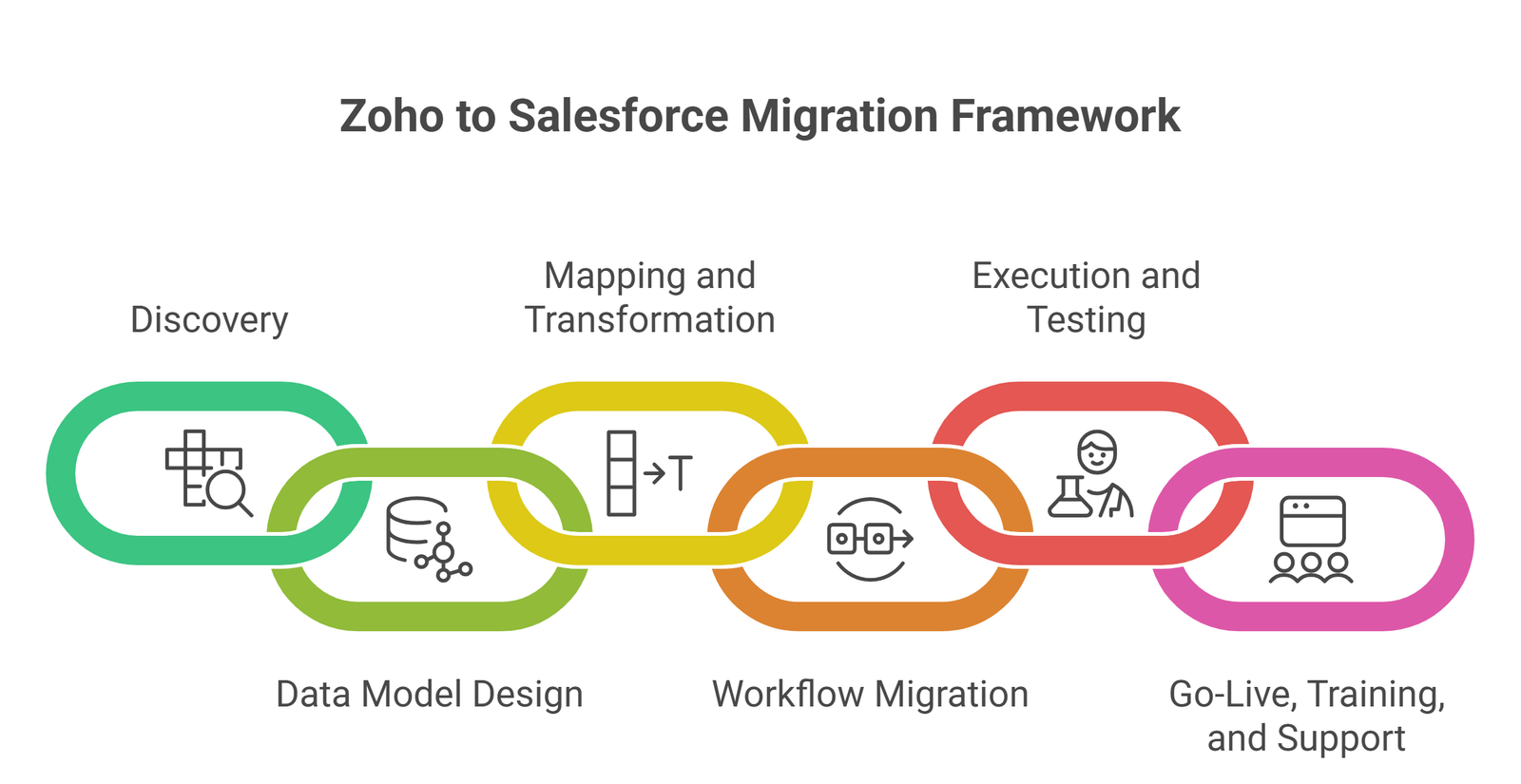
So, how does Providus migrate your CRM org from Zoho to Salesforce? Well, we follow an intuitive, transparent migration process that moves your org to Salesforce securely, accurately, and seamlessly.
-
Discovery
Our consultants start by auditing your current Zoho setup end to end, including all standard and custom modules, every custom field, all scripts, every Blueprint, every Workflow Rule, and every active integration.
-
Data Model Design
Once discovery is signed off, our consultants design the target Salesforce data model and identify any Salesforce Customization requirements rather than copying Zoho’s structure directly into the new org.
Zoho modules do not map one-to-one to Salesforce objects, so a Zoho Deals module usually becomes an Opportunity with related Products and Quotes, while custom modules may become custom objects, child records, or fields on existing objects depending on how they are actually used. We also pick the right cloud foundation here
-
Mapping and Transformation
With the data model approved, our consultants build the field-level mapping between Zoho and Salesforce.
Mapping is more than matching names, since field types differ between platforms, picklist values need to be cleaned up, date formats need to be standardized, and lookup relationships need to be preserved through external IDs so parent-child links survive the move.
We also build transformation rules for anything that needs conversion, including merging duplicate Zoho records, splitting overloaded fields, and adding default values where Zoho data is incomplete.
-
Workflow Migration
Workflow migration is where most Zoho CRM to Salesforce migrations get harder than they look, since automations do not transfer through any tool.
Zoho Workflow Rules, Blueprints, Approval Processes, and Deluge functions all need to be rebuilt as Salesforce equivalents, which usually means Salesforce Flow for most logic, Approval Processes for approval chains, and Apex only when Flow cannot meet the requirement cleanly. Our consultants do not just copy the logic across, since many Zoho automations grew over the years and contain rules no one remembers writing.
-
Execution and Testing
Execution is the controlled cutover where validated data actually moves into Salesforce, and testing happens before, during, and after every load.
Our consultants always run the full migration in a Full Copy or Partial Copy sandbox first, since this catches mapping errors, validation rule conflicts, and data quality issues in a safe environment.
We load data in dependency order with Users first, then Accounts, then Contacts, Opportunities, custom objects, activities, attachments, and finally audit history, and every load is verified through record counts, sample record inspection, and reconciliation reports against the Zoho source.
-
Go-Live, Training, and Support
Go-live is the final cutover from Zoho to Salesforce, and it works only when training and support are already in place.
Our consultants plan the cutover window during off-peak hours, freeze writes to Zoho, run the final delta load to capture changes since the last sandbox refresh, validate record counts, then enable user access to Salesforce.
We also keep a rollback plan ready, since even well-tested migrations need a safety net for the first 48 hours.
Training begins before go-live with role-based sessions for sales, service, marketing, and operations, since each role uses Salesforce differently and generic training drives adoption down.
Why Should You Migrate From Zoho CRM to Salesforce with Providus?
Choosing to migrate from Zoho to Salesforce is a strategic investment that can improve scalability, reporting, automation, and user productivity. However, the migration process carries risks if not planned and executed correctly.
Providus is a certified Salesforce consulting partner having run secure, reliable CRM migrations for companies across industries like across healthcare, financial services, manufacturing, non-profit, education, and commerce. Our team holds active certifications across the platform and have experience migrating CRM orgs from different platforms to Salesforce.
If you are weighing a Zoho CRM to Salesforce migration and want a partner who will tell you the truth about scope, timelines, and what should and should not move, our team is ready to help. Talk to our consultants for a discovery call, and we will audit your current Zoho setup with a clear recommendation on the right Salesforce cloud, integrations, and migration approach. Get in contact with our professional team today and make your Zoho to Salesforce migration a success journey. Whether you’re planning to migrate our data from Zoho CRM to Salesforce or redesign your CRM architecture for growth, our certified consultants can help every step of the way.
Frequently Asked Questions (FAQs)
What are the deliverables of the discovery phase?
A signed discovery report covering the full Zoho audit, stakeholder requirements, target Salesforce edition, recommended cloud mix, success metrics, risks, dependencies, and a written scope of work.
How do we avoid over-customization when designing your Salesforce org?
Our consultants follow a clicks-not-code rule, prefer standard objects and Flow over custom builds, and reach for Apex only when declarative tools cannot meet the requirement cleanly.
How do we ensure minimal process disruption and downtime while migrating from Zoho to Salesforce?
We schedule cutover during off-peak hours, run full sandbox rehearsals, handle source data deltas during the freeze window, and keep a rollback plan ready for the first 48 hours.
What QA processes and tests are required before and after migrating from Zoho CRM to Salesforce?
Sandbox validation, record-count reconciliation, sample record inspection, automation testing, integration testing, role-based permission testing, and full User Acceptance Testing before production cutover, followed by post-load verification.
How do we drive Salesforce user adoption at go-live?
Role-based training before cutover, quick-reference guides for daily tasks, Trailhead recommendations for self-learning, a dedicated support channel during the first two weeks, and structured hypercare through the first 30 to 90 days.